Guided onboarding
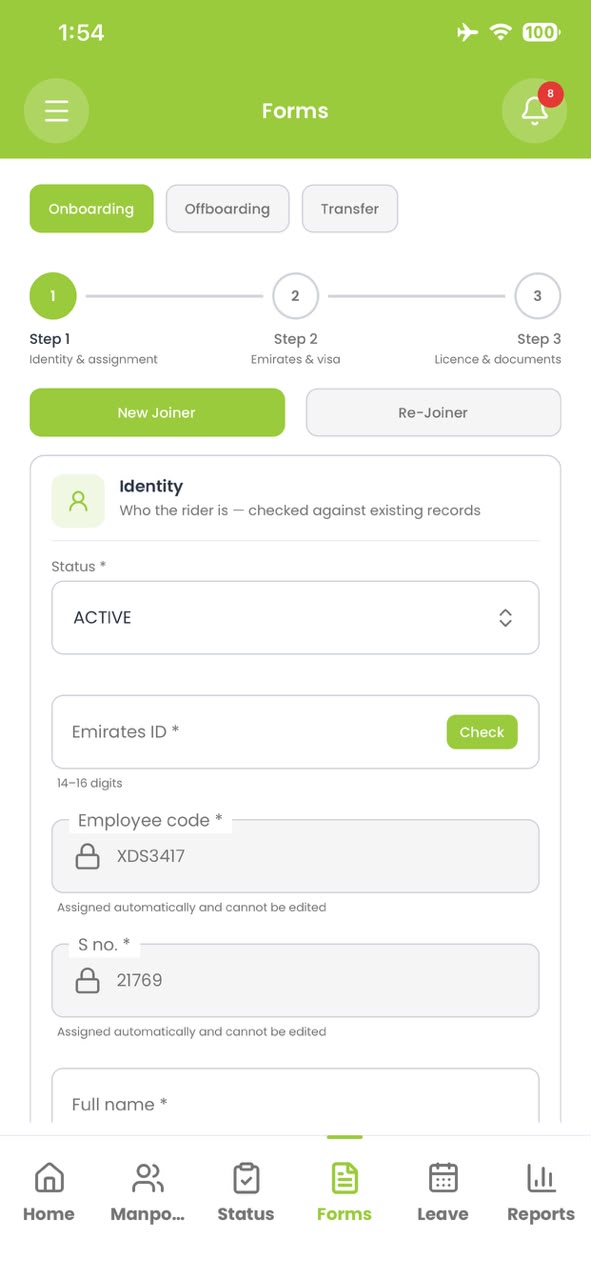
A three-step joiner flow covering identity and assignment, emirate and visa, then licence and documents. Emirates ID is checked against existing records before a duplicate is created.
Welcome
to Rydr&
People & HR
Riders join, move between clients, take leave, renew visas and eventually leave. People & HR keeps every one of those events on a single employee record, with a second pair of eyes on every change that matters.
Onboarding, identity updates, approvals and exits for every rider and staff member.
Capabilities
What People & HR covers inside Rydr&.
A three-step joiner flow covering identity and assignment, emirate and visa, then licence and documents. Emirates ID is checked against existing records before a duplicate is created.
Upload a scan and OCR proposes the changed fields. A reviewer confirms them before they replace what is on file.
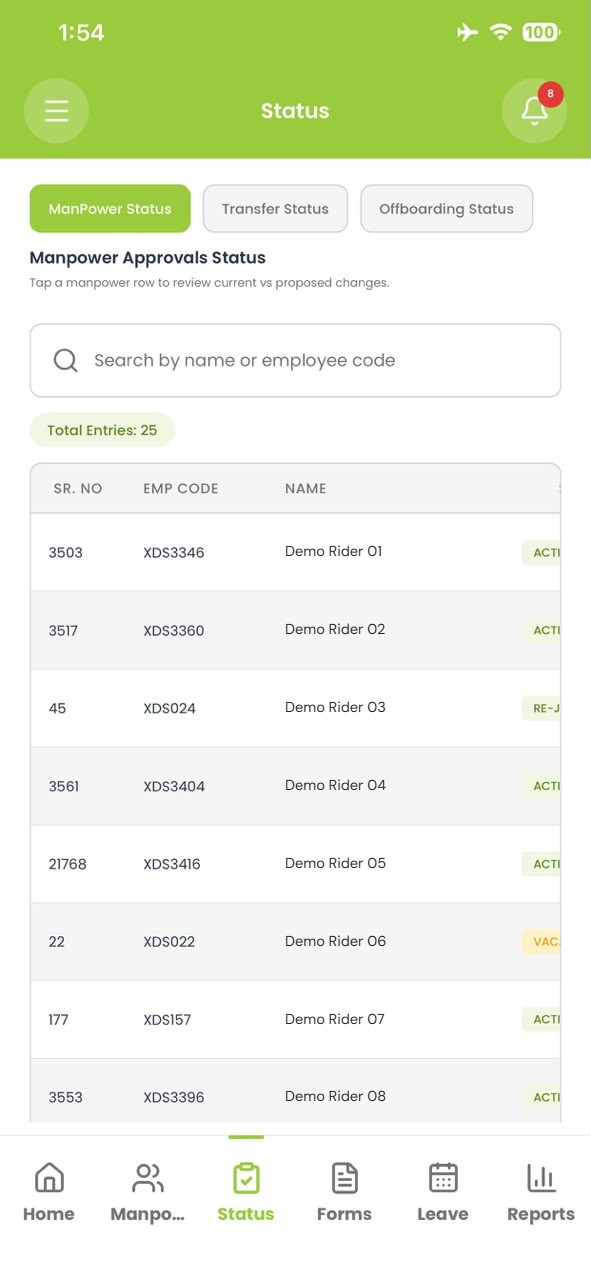
Edits to sensitive fields are proposed, not applied. A checker compares current against proposed values side by side and approves or rejects.
Documents, assignments, assets, fines, leave and payroll history in one timeline for each person.
Move a rider between clients or stations with an effective date, so attendance and payroll split cleanly on either side.
Record vacation and unpaid leave, then bring people back as re-joiners without rebuilding their history.
Follow each visa application stage by stage, with owners and dates, so nothing stalls quietly.
Collect assets, settle fines and advances, and sign off each department before the final settlement is released.
Workflow
An HR user submits a joiner, an update or an exit. Nothing on the live record changes yet.
A checker sees the current and proposed values together, with the supporting documents attached.
On approval the record updates and the change is written to the employee’s history with both names.
What People & HR does not do, stated plainly.

See it with your own data
Book a walkthrough and we’ll take you through people, fleet and payroll the way your operation actually runs.